
Difficulty: Easy
Concepts: XOR
Tools: IDA Free
About
This writeup explains single byte XOR obfuscation, a common technique used to hide strings and data in malware and reverse engineering challenges. Although XOR encoding is simple, it appears frequently in real-world samples and beginner CTF problems. This walkthrough breaks down how single byte XOR works and how to recognize and reverse it during analysis.
Walkthrough
This writeup is based on the windows executable version. I used IDA free with the base address 0x140001000.
First start by finding main. This is usually easy if you’ve done it a few times. trace the function calls that aren’t surrounded by compiler setup logic. In this case you will find some strings that give main away. Its located at 0x140001477.
Make things as easy as you can for yourself and name any variables that you are able to. Here I just looked at the first 9 variables and assignments and gave them a simple name that makes it more obvious what they contain.
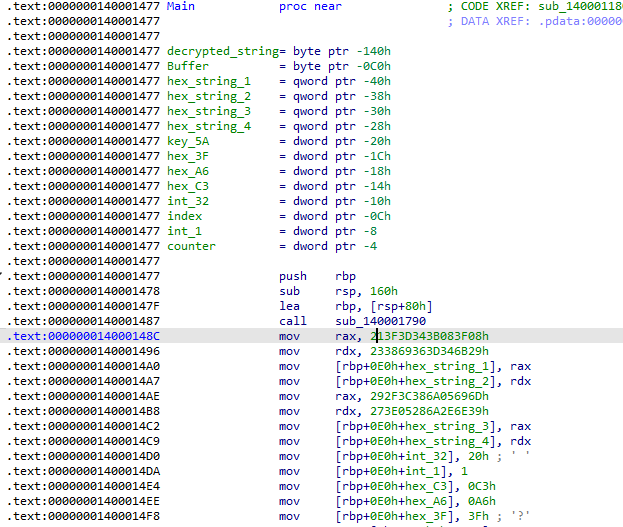
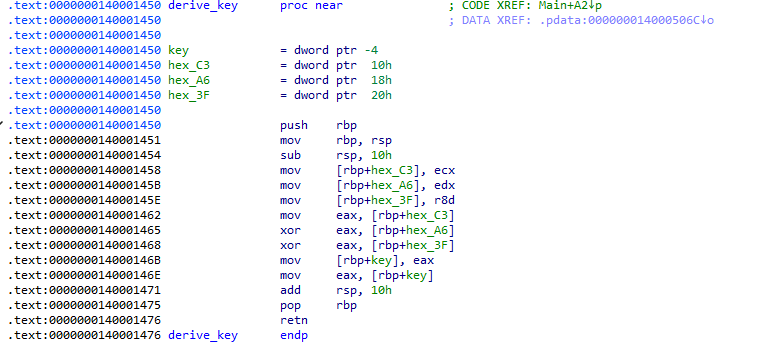
Next I see a function call at 0x140001519, trace into it and we can see that it takes 3 args. On windows, call args will follow the pattern rcx -> rdx -> r8 -> r9 -> etc. On Linux it will follow the pattern rdi -> rsi -> rdx -> xmm0 -> etc.
Since I’m working on windows and we only need the first 3 args I’m going to find what values are in rcx, rdx, and r8 right before that function call. Those will be the args that get passed into the function in that order. you might notice that the compiler used the 32 bit registers instead of the 64 bit ones. So we will use ecx, edx and r8d. ecx = hex_C3, edx = hex_A6, r8d = hex_3F. looking at the logic here in this function, its taking our args and xoring them with each other then storing the value, 0x5A in eax and returning. If a function has a return value it will be stored in rax, in our case eax. So we are returning 0x5A. This could be key derivation so I will give it a placeholder name so I know when it pops up again in the disassembly.
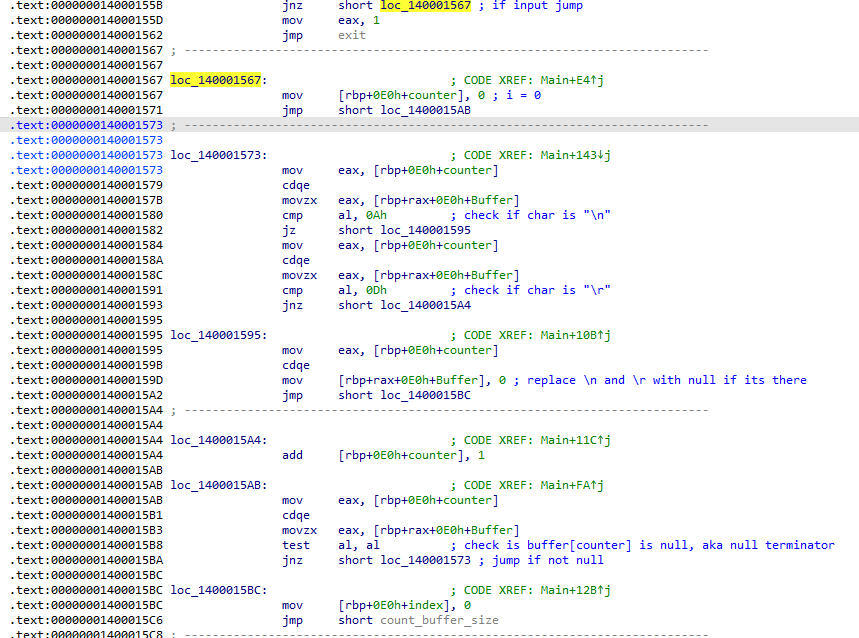
Going back to main the next functions calls are print and fgets, the variable we see right before the fgets is the variable that will hold the user input. If there is input you will take the jnz, if there is not any valid input the mandatory jump will be taken that leads to program termination. Trace through the jnz and the next few jumps. Examine the logic and name variables. Directly after the jnz a variable is initialized to 0 and another jump is taken. Notice movzx eax, [rbp+rax+0E0h+Buffer]. The memory address at rbp + 0xE0 + Buffer, is where out user input from the earlier fgets is stored. So rbp + rax + 0xE0h + Buffer is where the first element of our buffer is stored. The test instruction after that is checking for a null terminator aka end of the string. So if not null take the jnz inside this block. It checks if our element is a “\n” (0xA) or “\r” (0xD) and removes it if it finds one. if it doesn’t find one of those, add one to the zero initialized variable. Check if that element in our string is null and repeat if its not null. The zero initialized variable is a counter/index. This is a for loop that looks something like this: for(i=0; input[i]!=”\0″; i++) {…}.
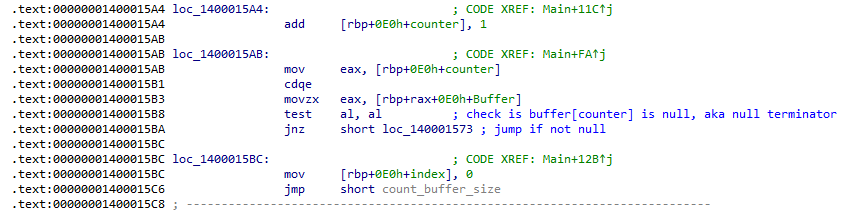
Immediatly after that for loop we have another loop, this one is a lot more simple. Start at index 0 and increment until buffer[index] is null.
This loop is counting the number of characters in the string. Something like while(buffer[index] != “\0”) input_len++;
When the previous loop hits null it jumps to 0x140001617. Now a zeroed variable is being compared to 32 which is the flag length for ReRange. if less jump to 0x1400015EC and do a single byte xor, increment the counter and compare the counter to 32 again. It will go until counter reaches 32. This is our “decryption” right here. Its taking the value stored in hex_string_1, hex_string_2, hex_string_3, hex_string_4 and XORing them byte by byte by 0x5A, the value we derived earlier and named key. The values stored in hex_string_1 through 4 are in little endian so to get the correct flag you must interpret it in big endian.
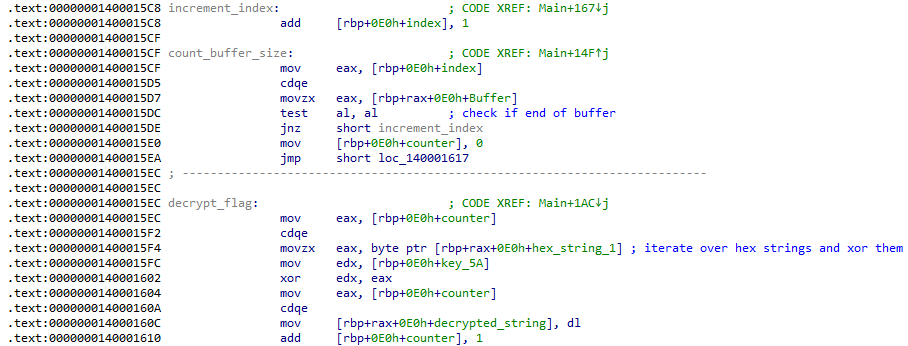
Take hex_string_1 and xor each byte by the key then reverse it and repeat with the rest of the hex strings. Once you’re done, convert it to ascii and you have found the flag. Enter it on The Range to complete this challenge.